
Clinic System
Appointments, patient records and reminders with a controlled access model.
- Modules
- 6
- Journey steps
- 4
- Integrations
- 4
- Indicative build
- 8–14 weeks
How to read this page: Concept specification: this page documents a system TECH360 can build. It is not a delivered client project, a verified case study, a working demonstration or a measured outcome.
B · Problem & target users
What this system is designed to replace
- Appointment reminders depend on calling patients between other duties.
- Visit history and documents are split across paper and shared folders.
- Record access is not consistently logged, so an audit is manual.
Target users
- Front desk
- Physicians
- Nursing staff
- Patients
C · Objectives & intended benefits
Design intent, not measured outcomes
- Schedule appointments per doctor, room and slot length.
- Keep visit history and documents on one patient timeline.
- Log every record access and configured reminder.
These are goals the build is designed to serve. No efficiency, revenue or conversion result is claimed.
D · Product overview
What the system is, and where it runs
A clinic operations system for single and multi-physician practices: appointment scheduling, patient records, prescriptions, lab-result attachments and reminder workflows.
Front-desk console
Scheduling, check-in and queue.
Clinician workspace
Patient timeline, consultation notes and attachments.
Patient channel
Booking and reminder confirmations.
Platforms listed describe the intended build. A specific engagement may narrow or extend them after scope approval.
E · Module inventory
Modules in the specification
- Doctor and room scheduling
- Appointment booking and queue
- Patient record and visit history
- Prescription and lab attachment vault
- Reminder and no-show workflow
- Role-separated access and audit log
Capabilities the system is designed to provide
- Schedule appointments per doctor, room and slot length
- Keep visit history and documents on one patient timeline
- Send configured appointment reminders
- Record every record access in an audit log
F · Screen gallery
No verified product screenshots for this concept
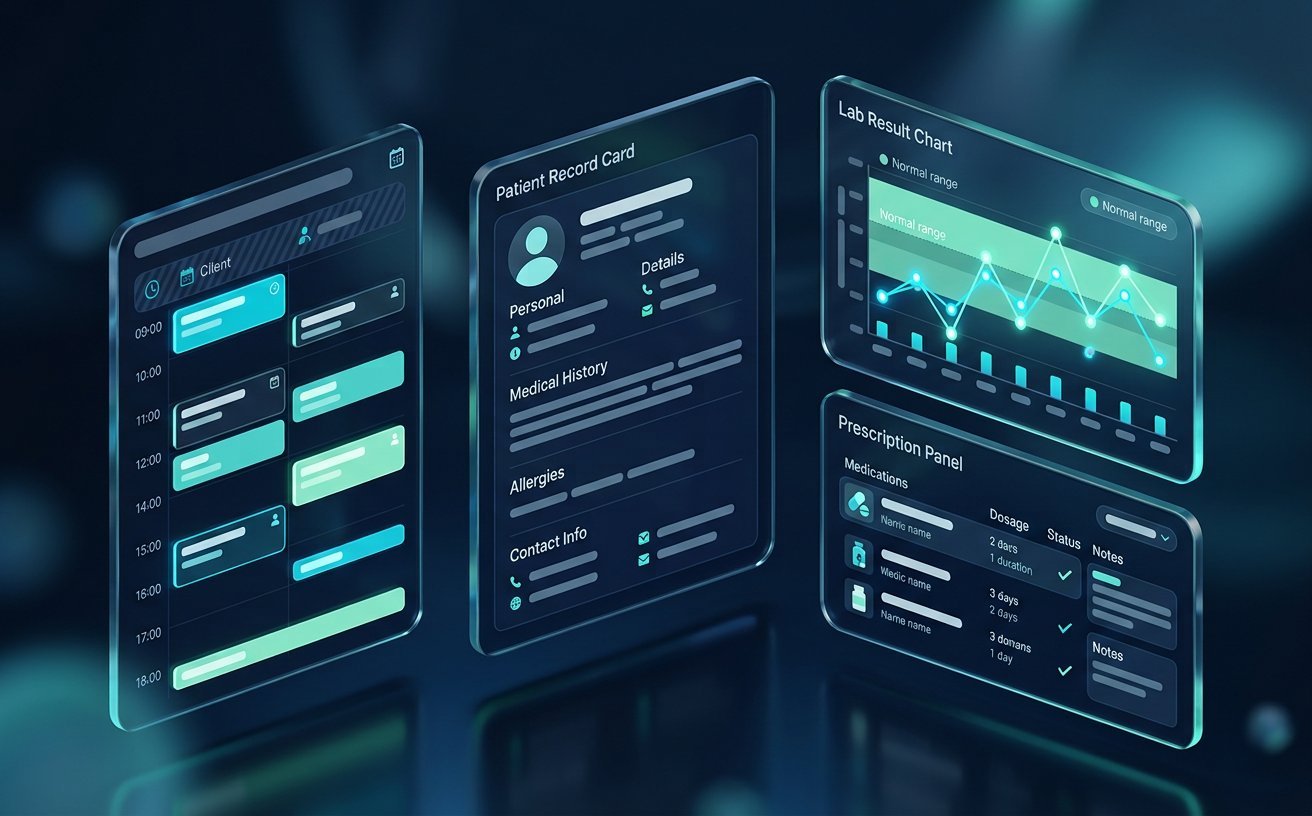
This project has not been built, so there are no application screenshots to show. The image on this page is a generated concept visual, not a capture of working software. Presenting it as a product screenshot would misrepresent the system, so this section says so explicitly.
G · User journey
The intended path through the system
Step 1
Book
A patient or the desk books a slot against a doctor and room.
Step 2
Check in
Arrival moves the appointment into the queue with a timestamp.
Step 3
Consult
The clinician records notes and attaches documents to the timeline.
Step 4
Follow up
Configured reminders and follow-up appointments are created.
H · Roles & permissions
Who can do what
| Role | Access boundary |
|---|---|
| Front desk | Scheduling and demographics; no clinical notes. |
| Physician | Own patients' clinical records. |
| Nursing | Assigned patients; vitals and tasks. |
| Administrator | Configuration and audit views. |
I · Architecture & API
Service boundary and HTTP surface
| Endpoint | Purpose |
|---|---|
| POST /api/appointments | Book a slot with conflict detection. |
| GET /api/patients/:id/timeline | Permission-checked timeline read, logged. |
| POST /api/reminders | Queue a reminder through the configured provider. |
Endpoints are the intended contract. Authorisation is enforced server-side per role, never only in the interface.
J · Data entities
Core entities and relationships
| Entity | Relationship |
|---|---|
| Patient | Has many appointments and one timeline. |
| Appointment | Belongs to a patient, doctor and room. |
| VisitNote | Belongs to one appointment; authored by one clinician. |
| AccessLog | Records actor, patient and timestamp for each read. |
K · External integrations
Provider-dependent integration points
- SMS / WhatsApp reminders
- Secure file storage
- Payment collection
- SMS or messaging reminders
Each integration is configured and accepted against the specific provider account before go-live.
L · AI & automation
Opportunities and their human gate
Draft a visit summary from the clinician's own notes.
Human gate: Clinician reviews and signs; nothing enters the record unreviewed.
Predict no-show risk to prioritise confirmation calls.
Human gate: Front desk decides who is called; no automatic cancellation.
M · Security, privacy & accessibility
Controls the build is specified to enforce
- Health data access is role-scoped and logged per read.
- Documents are served through authorised endpoints, never public URLs.
- Session and device policy is configurable per practice.
Accessibility is treated as an acceptance criterion for keyboard, focus and contrast on every screen. No certification or audit result is implied.
N · Testing & quality assurance
What would have to be proven before handover
- Scheduling conflict detection tested across time zones and edge slots.
- Access-control tests for every role and record type.
- Restore drill for clinical documents.
O · Deployment & hosting
Where and how it would run
- Regional hosting chosen with the practice
- Encrypted database and object storage
- Backup with tested restore
P · Maintenance & scalability
Keeping it maintainable
- Retention configuration per record type
- Provider adapters for reminders isolated
- Schema versioned for clinical extensions
Q · Optional advanced features
Out of the initial scope, available later
- Lab result ingestion
- Multi-branch scheduling
- Patient portal with self-service rescheduling
R · Related
Related solutions and next step
Sector blueprint: Healthcare solutions
What this page does not claim: Clinical decision support is not provided. Health-data handling requires the practice to confirm its own regulatory obligations and hosting region.
Claims policy: this page is checked against a forbidden-claim list (6 patterns, including invented percentage results, “case study” and guarantee language) by the repository test suite.